


In This Guide
If you've ever tried to set up a Shout For Shout collaboration, you know the drill. You slide into someone's DMs, explain your stats, list your requirements, wait for a response... and then do it all over again with the next creator. It's tedious, time-consuming, and honestly? It leads to a lot of flaking.
That's exactly why we built SFS Invite Links inside ShareYourFans™. Let's break down what they are, how they work, and why they're about to become your new favorite tool.
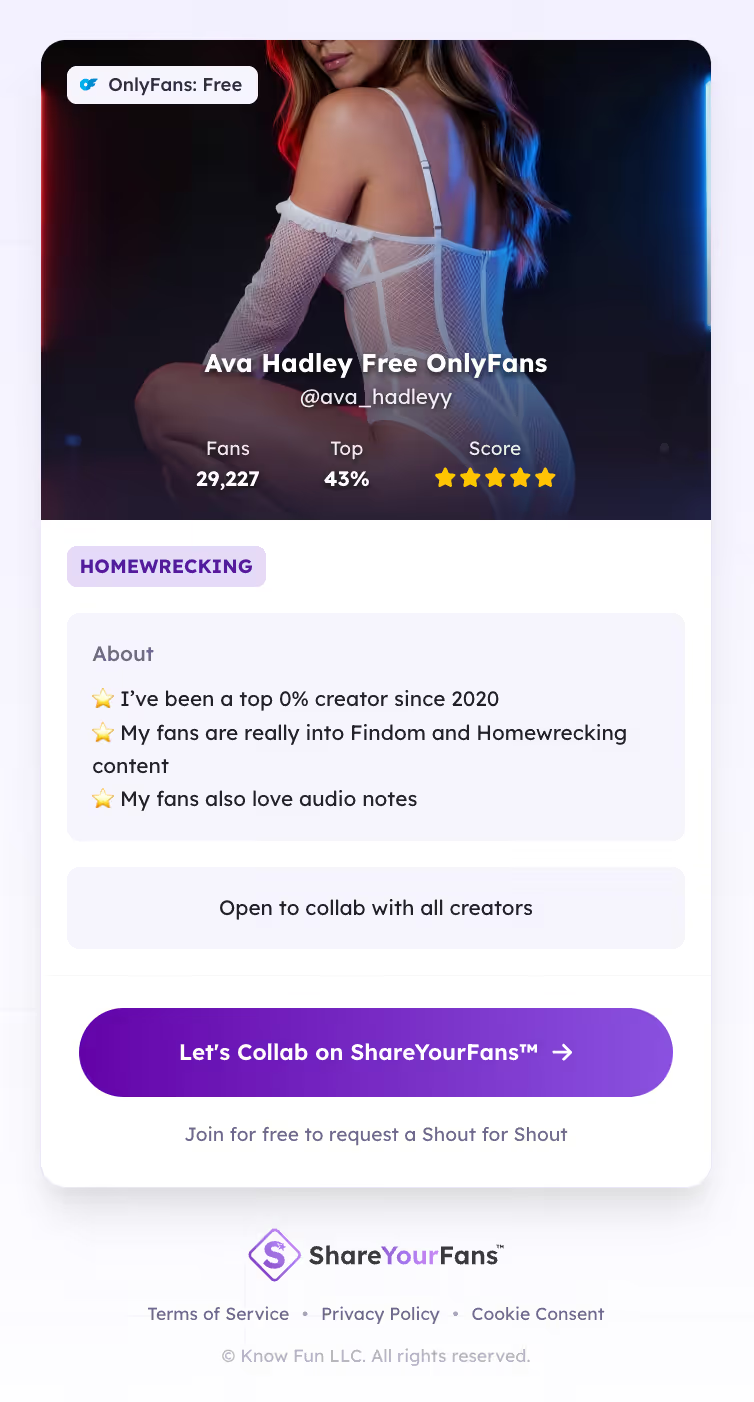
What Is an SFS Invite Link, Anyway?
Think of your SFS Invite Link as your collaboration profile—packaged into one clean, shareable link.
Instead of explaining your stats, niche, and requirements every single time you reach out to a creator, your invite link does the talking for you. It shows potential collaborators everything they need to know before they agree to work with you. No guesswork. No back-and-forth. Just clarity from the start.
How to Generate Your First SFS Invite Link
Getting started is simple. Once you've created your free ShareYourFans® account, head to your dashboard. From there, you can verify your platform stats, set your SFS requirements and availability, and generate your unique invite link in just a few clicks.
That's it. No complicated setup. No screenshots to create. Your link is ready to share whenever you need it.
Why Bother Using Invite Links?
Here's the thing about random SFS messages: they leave creators guessing. And when people have to guess, they tend to flake.
Your SFS Invite Link eliminates that uncertainty by clearly showing:
- Your verified platform stats
- Your specific SFS requirements
- Whether you're actually a good match for collaboration
That kind of transparency saves everyone time—and it leads to higher-quality collabs that actually follow through.
Where Do Your Invite Links Live?
All of your SFS Invite Links are stored right inside your ShareYourFans® sidebar for quick access. No more digging through old DMs trying to find that link you sent three weeks ago. No resending screenshots. No recreating invites from scratch.
Your links are always ready when you need them, and your unique link code never changes—so you can reuse it as many times as you want.
What That Unique Code Actually Tracks
Every SFS Invite Link includes a unique code tied to your account. This isn't just for show—it automatically tracks important stuff like who signed up using your link, which creator invited them, and when promotional rewards apply.
Everything happens behind the scenes. You don't have to lift a finger.
How Your Links Look When You Share Them
Whether you're sending your invite link through iMessage, Telegram, Twitter/X, or email, it displays as a clean, professional preview card. No more messy text walls or sketchy-looking links.
This matters more than you might think. A polished link builds trust and increases your response rate. First impressions count, even in DMs.
The Bonus Most Creators Don't Know About
Here's where it gets really good: when a creator signs up for ShareYourFans® Free Essentials using your invite link, you both earn bonus promotions from us.
You're helping creators get organized, and we reward you for it. For every creator you invite who successfully onboards, you unlock additional visibility—and there's no cap on this. We'll promote both of you across our company socials and marketing channels automatically.
It's a true win-win.
Why This All Matters
Professional tools create professional collaborations. SFS Invite Links cut down on spam in your DMs, protect you from collaborating with unverified accounts, and raise the overall quality of SFS across the platform.
When everyone's working with clear expectations and verified info, collaborations actually happen—and they happen well.
Ready to Start?
Stop relying on random DMs and unclear expectations. Create your SFS Invite Link, invite creators with confidence, and build repeatable collaborations that respect both platforms and fans.
Getting started is completely free. Our Free Essentials plan is open to any OnlyFans, Fansly, LoyalFans, or Fanvue creator. All are welcome.
[Get started at shareyourfans.com →]
Run your first trackable
GG swap
Generate unique links, see real-time clicks, and prove ROI on every swap.
No card required · Free forever